I shall be continuing my earlier post on how to protect (or at least minimizing) the USB from getting "infected"....I guess the better, if not best way to show it is by using pictures (and more words):
 Step 01
:
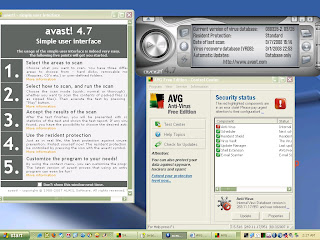
Install Anti-virus and malware software. My recommended are AVG and Avast! Coz they're not only easy to install, use and update but they're FREE! What's more is that I have been using them for years and they don't "clog up or slow down" the pc, unlike what I've experienced from"Enterprise" big-name anti-virus software like Norton or McAfee which can not only be a bit "tricky" to install but also update, not like AVG....Also, they're pretty easy to use. And yeah, did I mention they're free!
Download FREE AVG w/Anti-Spyware Here! & AVAST! Pro FREE trial (60 days) Here Step 02:
Update it! Now, unlike most apps that you install on your pc and kinda forget after
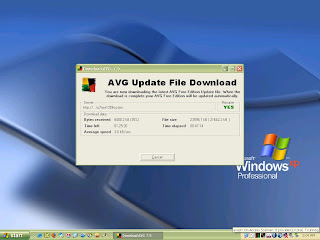
awhile, most anti-virus applications need to be updated occassionally if not everyday (at least
once) to keep them "alert and active" and most of all, effective in fighting off viruses and other malware that crop up and "evolve" almost every day and attack your pc and anything that's attached to it (read, usb removeabl drive). Now, as far as I know, AVG and AVAST! usually do the updating at least once a day (or as scheduled) and very unobtrusively (you don't even know about it), whenever your pc is online (yes, you have to be connected to the Internet). However, it may be a good idea to be aware if it really does...or if it has fully updated itself with its anti-virus definitions. Think of it as "feeding" it like a Tamagotchi (if you don't its going to be sad sad day for you and your pc) Hmmm..now that I think about it, I wish they'd be more creative in getting pc users to do this updating.
Step 03:
An ounce of Prevention is better than a pound of Cure.
Disable the autoplay/autorun feature of Windows. As noted in this
techpinoyblogspot,The following virus/trojan/malware makes use of Windows autorun feature to infect PCs and flash drives:
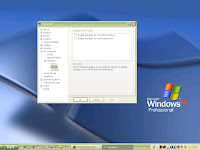
The key solution here is to prevent the autorun from launching and to disable it on your pc. For a quick and simple fix, try downloading and installing the WinXP TweakUIPowertoy which gives a very user-friendly interface on how to go about doing it. However, as you may have read here, it may not always work, so for a more "complex" preventive solution try this:
1. Start Notepad [Start Menu-All Programs-Accessories-Notepad] or right-click any empty space in your desktop then select New-Text Document
2. Copy the following text. (note: Everything in between the square brackets should be in one line)REGEDIT4[HKEY_LOCAL_MACHINE\SOFTWARE\Microsoft\Windows NT\CurrentVersion\IniFileMapping\Autorun.inf]@="@SYS:DoesNotExist"
3. Save the file with a name (anything) like DisableAutoRun.reg (The extension .reg is the important part)
4. Double Click your newly created registry file. Choose yes or continue to the warning that will appear.
courtesy of: http://www.edmartechguide.com/2007/11/prevent-autorun-viruses-from-infecting.html
Be careful as this change/adds entries to your registry, so be sure to back it up first. For a more lively discussion on this topic (although, this has been awhile), visit this Pinoyforum thread


